How to Protect Your Discord Server from Raids

  • Home
  • Blog
  • Discord Services
How to Protect Your Discord Server from Raids
  • June 28, 2026
  • ZoroBoost IconZoroBoost Team

When I first started managing a public Discord server, everything seemed to be running smoothly. New members joined every day, conversations were active, and the community continued to grow.

Then one evening, dozens of fake accounts joined within minutes. Spam messages flooded every channel, inappropriate content appeared everywhere, and several members left before moderators could react.

That experience taught me an important lesson—every Discord server should be prepared for raids before they happen.

Whether you manage a gaming community, business server, study group, or creator hub, protecting your Discord server should always be a priority. In this guide, I'll share practical ways to reduce the risk of raids and keep your community safe.

What Is a Discord Raid?

A Discord raid is a coordinated attack where multiple accounts join a server to spam messages, post harmful content, or disrupt the community.

Raids may involve:

  • Spam messages
  • Fake accounts
  • Offensive images or links
  • Mass mentions
  • Voice channel disruption
  • Bot attacks

While some raids are small, others can overwhelm moderators if the server isn't properly protected.

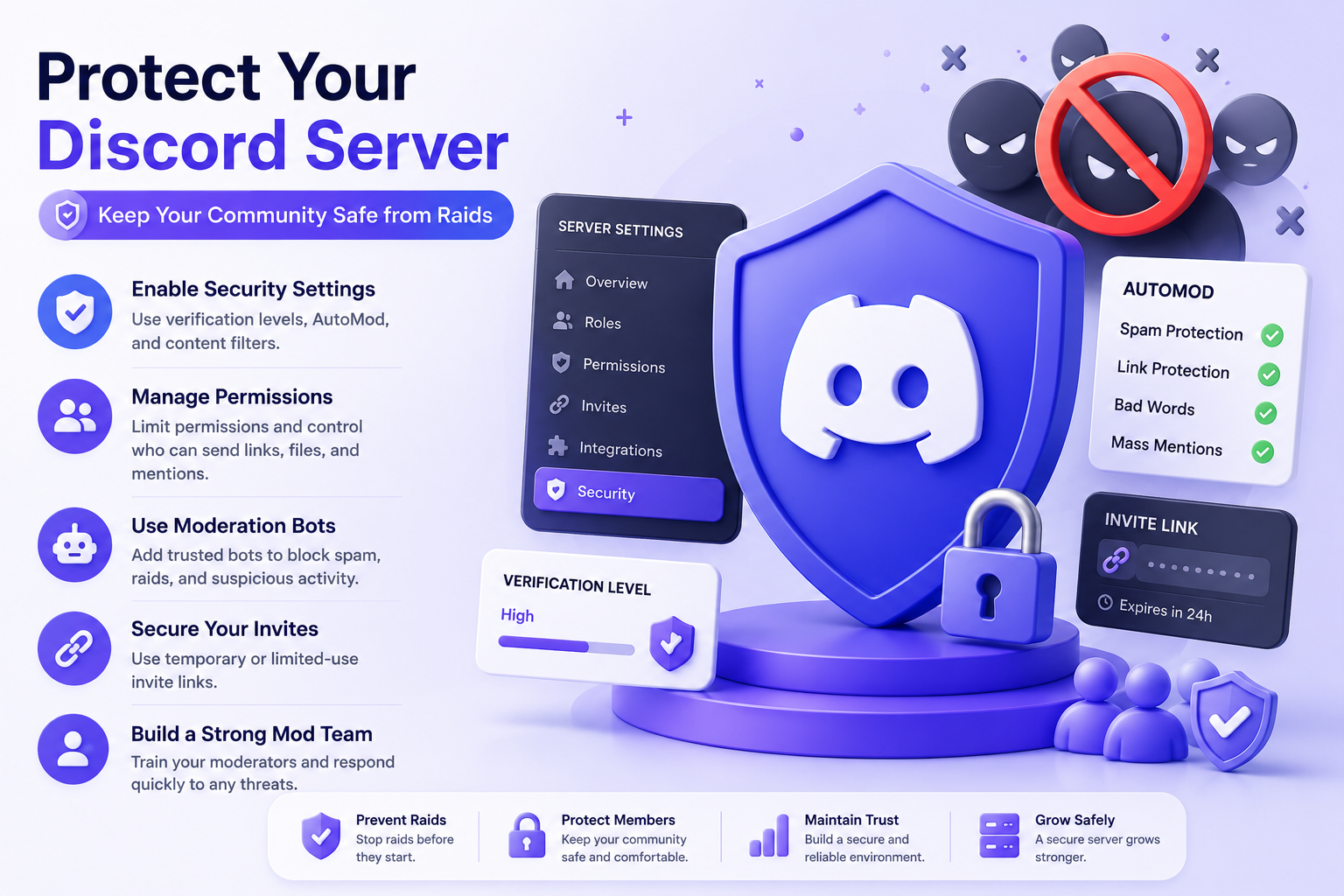
Enable Discord's Built-In Safety Features

Discord provides several security settings that every server owner should enable.

These include:

  • Verification Levels
  • AutoMod
  • Media Content Filters
  • Explicit Content Filter
  • Spam Protection

These tools automatically block many common raid attempts before they affect your community.

Increase Your Verification Level

One of the easiest ways to reduce raids is by increasing your server's verification level.

Higher verification settings require new members to meet certain conditions before they can chat.

This helps reduce spam from freshly created accounts.

Use AutoMod

Discord's AutoMod system can automatically detect:

  • Spam
  • Harmful words
  • Excessive mentions
  • Suspicious messages

Instead of relying entirely on moderators, AutoMod can stop many attacks instantly.

Create Moderator Roles

Every growing community should have trusted moderators.

Good moderators help:

  • Remove spam
  • Ban malicious users
  • Answer member questions
  • Monitor suspicious activity
  • Keep conversations respectful

The faster moderators respond, the less damage a raid can cause.

Limit Channel Permissions

Avoid giving unnecessary permissions to everyone.

For public channels, consider limiting:

  • File uploads
  • External links
  • @everyone mentions
  • Invite creation
  • Webhook management

Only trusted roles should have advanced permissions.

Secure Your Server with Trusted Bots

Moderation bots can automatically detect suspicious behavior and remove spam before it spreads.

Popular moderation features include:

  • Anti-spam filters
  • Auto bans
  • Link protection
  • Join monitoring
  • Message logging

Using reliable moderation tools makes managing larger communities much easier.

Watch for Suspicious Join Activity

If dozens of accounts suddenly join your server within a few minutes, investigate immediately.

Common warning signs include:

  • Similar usernames
  • Newly created accounts
  • No profile customization
  • Immediate spam messages
  • Repeated invite usage

Early detection helps prevent larger problems.

Protect Your Invite Links

Instead of sharing permanent invite links everywhere, create invite links with expiration dates or limited uses whenever possible.

This reduces the chance of unwanted users accessing your community through old public invitations.

Train Your Moderation Team

Technology helps, but experienced moderators remain your best defense.

Preparation makes a huge difference during an active raid. Make sure your team knows how to lock channels, enable slow mode, mute or ban users, and report serious incidents.

Backup Important Channels

Keep backups of:

  • Server settings
  • Channel structure
  • Role permissions
  • Community rules
  • Important announcements

If something goes wrong, recovery becomes much easier.

Keep Your Community Informed

Members should know what to do if a raid occurs.

Encourage them to:

  • Avoid interacting with spammers
  • Report suspicious users
  • Ignore malicious links
  • Contact moderators immediately

An informed community responds much more effectively during security incidents.

Common Mistakes Server Owners Make

Many server owners unintentionally leave their communities vulnerable.

Common mistakes include:

  • Leaving verification disabled
  • Giving too many permissions
  • Ignoring moderation bots
  • Using unlimited public invites
  • Waiting until after a raid to improve security

Preventing attacks is always easier than recovering from one.

Related Discord Services

Many server owners combine Server Boosts with other premium Discord services.

Popular options include:

  • Discord Aged Accounts
  • Discord Server Boosts
  • Discord Decorations
  • Server Members
  • Nitro Accounts

Using the right combination depends entirely on your community's goals.

Final Thoughts

Discord raids can happen to communities of any size, but proper preparation significantly reduces the risk.

By enabling Discord's security features, using trusted moderation tools, assigning experienced moderators, and limiting unnecessary permissions, you can create a safer environment for your members.

Building a successful Discord community isn't just about gaining members—it's about protecting them. Investing time in server security today will help ensure your community continues to grow safely and confidently in the future.

ZoroBoost Team

IconZoroBoost Team

We provide premium Discord services including aged accounts, server boosts, member boosts, decorations, and Nitro upgrades to help you build, grow, and customize your communities.

Tags:

DiscordSecurityModeration

Share:

Previous Post
Discord Server Boosts Explained...
Next Post
Zooro Boost – What Is a Discord Aged Account Service...

3 Comments On “How to Protect Your Discord Server from Raids”

Alex Carter
Alex Carter Reply
28 June, 2026

This guide cleared up so much confusion for me! I was hesitant about buying an aged account for our server moderation team, but it really does make a difference in establishing credibility. The delivery was fast and support was super helpful.

Sarah Jenkins
Sarah Jenkins Reply
29 June, 2026

Totally agree with Alex. We also boosted our community server to Level 2 last week to get that 1080p streaming slot for our gaming nights. The voice quality difference is night and day!

Marcus Vance
Marcus Vance Reply
30 June, 2026

Super informative article. I've been eyeing some of the seasonal profile decorations but wasn't sure if they required Nitro. Good to know they can be combined or bought separately. Will definitely try them out!

Leave a comments

Recent Post

  • Thumb
    26 June, 2026
    Zooro Boost – What Is a Discord Aged Account Service, Server Boosts for Discord, and Discord Decorations?
  • Thumb
    27 June, 2026
    Discord Server Boosts Explained: Are They Worth It for Growing Communities?
  • Thumb
    28 June, 2026
    How to Protect Your Discord Server from Raids

category list

  • Aged Accounts 12
  • Server Boosts 8
  • Member Boosts 15
  • Decorations & Nitro 22
  • Discord Tips & Guides 31

Gallery

  • thumb
  • thumb
  • thumb
  • thumb
  • thumb
  • thumb

Archives

  • June 2026
  • August 2025
  • July 2025
  • May 2025

follow us

tags

  • Discord
  • Aged Accounts
  • Boosts
  • Decorations
  • Nitro
  • Server Growth